
TL;DR
Tactile indicators compliance in Canada is governed by CSA B651, ISO 23599, the Ontario Building Code, the AODA, and the Accessible Canada Act. Compliant tactile walking surface indicators (TWSIs) must meet strict specifications for dome height (4–5 mm), spacing, visual contrast (70–100%), and placement depth (300–610 mm). Non-compliance carries fines up to $100,000 per day under AODA and $250,000 under the Accessible Canada Act. This glossary consolidates every term, code reference, and specification that architects, contractors, and facility managers need in one place.
Browse compliant tactile indicator panels to see available sizes, materials, and pricing.
What Are Tactile Indicators?
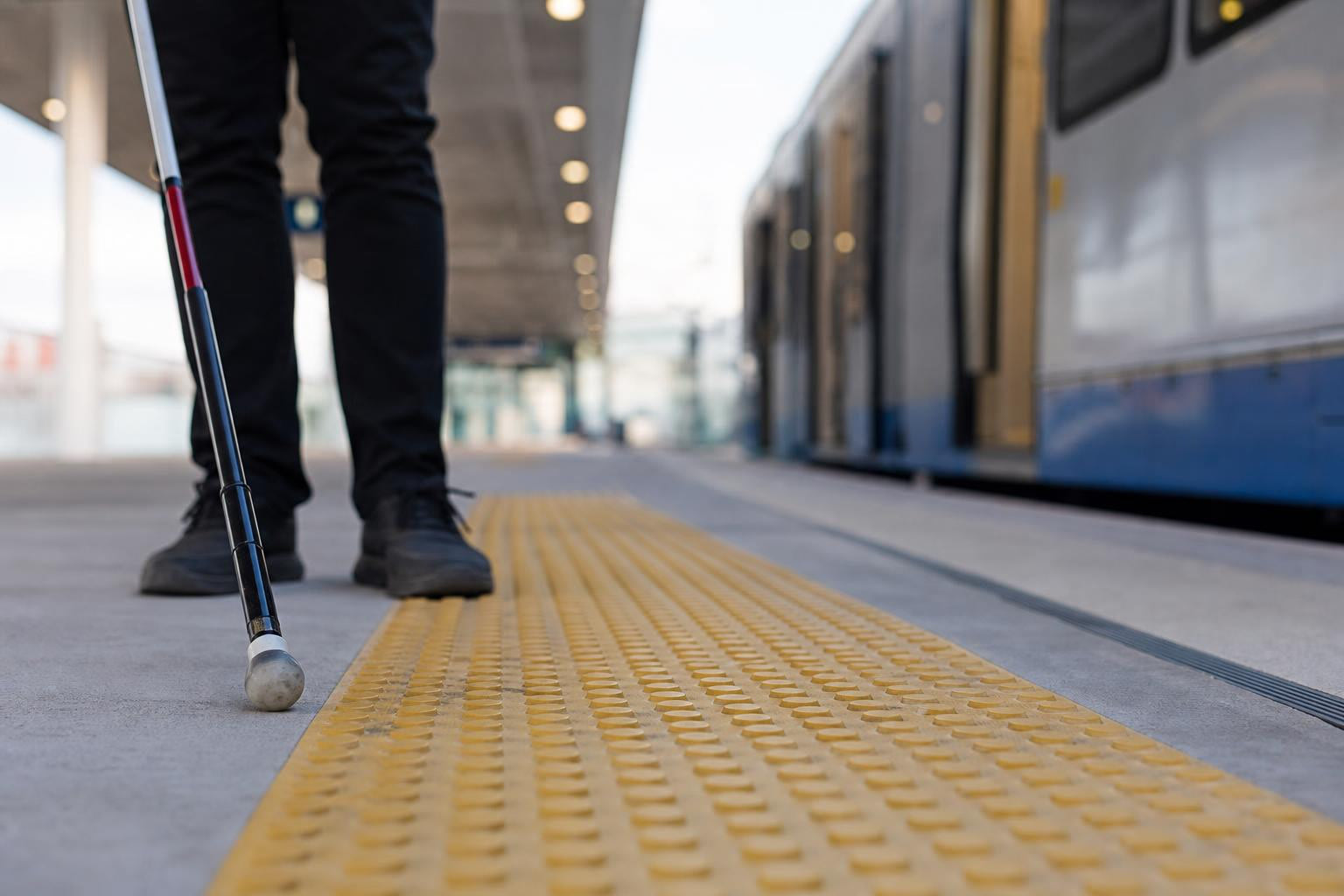
Tactile walking surface indicators (TWSIs) are standardized raised surfaces, detectable underfoot or by a long white cane, designed to alert or guide people with low vision or blindness. As defined by CSA/ASC B651:23, they are a critical component of accessible design in the built environment.
There are two types:
Attention indicators use truncated domes to warn of hazards, changes in elevation, vehicular routes, or train tracks. Think of them as a tactile “stop and pay attention” signal.
Direction indicators use flat-topped elongated bars to guide wayfinding in open spaces. ISO 23599 calls these the “guiding pattern.”
Why this matters: approximately 1.5 million Canadians live with vision loss, and 1 in 4 Canadians have some form of disability. Tactile indicators compliance isn’t a niche concern. It’s a fundamental part of building accessible spaces for a significant portion of the population.
Japan pioneered tactile walking surface indicators in 1967. The ISO standard followed in 1999, the U.S. adopted them widely by 2001, and Canada’s CSA standard was first created in 2004 (updated in 2012 and again in 2023).
Glossary of Key Terms (A–Z)
Attention Indicator
A TWSI comprising truncated domes that signals a hazard or transition point. Required at curb ramps, stair landings, transit platform edges, and similar locations per CSA B651 and OBC 3.8.3.18.
Bevelled Edge
The angled transition between a tactile tile and the surrounding surface. Canadian regulations require bevelled edges to prevent tripping hazards between tiles and the ground.
Cane-Detectable
A surface feature that can be identified by sweeping a long white cane across it. Both dome and bar profiles must be cane-detectable to satisfy CSA B651.
Cast-in-Place
An installation method where tactile tiles are embedded into wet concrete during pouring. Preferred for new construction, outdoor paths, and high-traffic areas. Safety Step Canada offers heritage-style cast-in-place panels designed for this method.
Detectable Warning Surface
The U.S. (ADA) term for what Canadian codes call a tactile attention indicator. Functionally identical: a field of truncated domes that warns of a hazard ahead. Understanding this term matters when reviewing cross-border projects or U.S.-manufactured products.
Direction Indicator
A TWSI using flat-topped elongated bars to facilitate wayfinding. Used in open plazas, transit concourses, and large lobbies where a person with vision loss might otherwise lose orientation. See directional bar tiles for wayfinding for available sizes.
Dome Height
The vertical distance a truncated dome projects above the surrounding surface. CSA B651 specifies 4–5 mm. Too low and it’s not detectable; too high and it becomes a trip hazard.
Dome Spacing
The centre-to-centre distance between truncated domes. Canadian standards allow 12–61 mm spacing. Proper spacing ensures consistent detectability.
Luminance Contrast
A measurable difference in light reflectance between the tactile indicator and the adjacent surface. Related to, but technically distinct from, colour contrast. Compliance requires 70–100% contrast.
Surface-Applied
An installation method where tactile tiles are bonded onto existing hard surfaces using adhesives and mechanical fasteners. Ideal for retrofits and indoor or low-traffic areas. Can be installed in minutes rather than days.
Truncated Dome
The individual raised element on an attention indicator. It has a flat top (truncated) with a wider base, creating a profile that is both cane-detectable and slip-resistant. CSA B651 and ISO 23599 both define precise dimensional tolerances.
TWSI (Tactile Walking Surface Indicator)
The umbrella term for both attention and direction indicators. This is the term you’ll encounter most often in Canadian building codes and standards documents.
Visual Contrast
The visible difference in colour and tone between a TWSI and its surrounding surface. Safety yellow is the standard for attention indicators. Compliant installations require 70–100% contrast with adjacent surfaces.
Canadian Codes & Standards That Govern Compliance
Multiple overlapping codes create the regulatory framework for tactile indicators compliance in Canada. Here’s what each one does and why it matters.
CSA B651 (Accessible Design for the Built Environment)
This is the primary technical authority. The current edition, CSA/ASC B651:23, specifies exact requirements for TWSI design, including dome and bar dimensions, spacing, visual contrast, and placement. When contractors follow CSA B651, their tactile installations meet the dimensional, durability, and contrast regulations referenced by provincial and federal codes.
For a deeper look at how these standards affect public buildings, see our guide on TWSI requirements for public buildings.
ISO 23599
ISO 23599:2012 is the international benchmark, titled “Assistive Products for Blind and Vision Impaired Persons, Tactile Walking Surface Indicators.” Canadian codes reference it directly. OBC Section 3.8.3.18 specifically requires conformance with Clauses 4.1.1 and 4.1.2 of ISO 23599.
Ontario Building Code (OBC) Section 3.8.3.18
Ontario’s building code includes explicit requirements: where a tactile attention indicator is required, it must conform to ISO 23599 and have a depth (in the direction of travel) of not less than 300 mm and not more than 610 mm. This is one of the most specific provincial provisions in Canada.
AODA (Accessibility for Ontarians with Disabilities Act)
AODA sets public and private sector accessibility standards across Ontario, with a full compliance target of 2025. Tactile walking surface indicators fall under the Design of Public Spaces requirements. The enforcement teeth are real: fines of up to $50,000 per day for individuals and $100,000 per day for corporations under Sections 35–37 of the AODA.
Accessible Canada Act (ACA)
Landmark federal legislation aiming to realize a barrier-free Canada by 2040. The Accessibility Standards Canada (ASC) organization was created under this act in 2019 to develop accessibility standards, fund research, and share information. Fines for ACA non-compliance start at $250,000.
National Building Code of Canada (NBC)
Canada’s NBC sets technical provisions for new construction and renovations. It references CSA standards on tactile warning surfaces, making CSA B651 effectively enforceable through building permit processes nationwide.
Municipal Standards
Cities often layer additional requirements on top of provincial codes. The City of Toronto, for example, specifies cast iron tactile indicators for municipal sidewalks. Initially, cast iron develops a rusty red colour that may stain the sidewalk in the first year, but it eventually develops a natural patina that provides even greater tonal contrast. Ottawa and other municipalities have their own specifications. Always check local bylaws in addition to provincial code.
For projects involving government and institutional facilities, compliance with these layered standards is non-negotiable for bid eligibility.
Key Specifications at a Glance
This table consolidates the dimensional and performance requirements that define tactile indicators compliance in Canada. Keep it bookmarked for spec meetings.
| Specification | Requirement | Source |
|---|---|---|
| Dome/bar height | 4–5 mm above surrounding surface | CSA B651 |
| Dome spacing (centre-to-centre) | 12–61 mm | CSA B651 |
| Panel depth (direction of travel) | 300–610 mm | OBC 3.8.3.18 |
| Visual contrast with adjacent surface | 70–100% | CSA B651 / ISO 23599 |
| Edge treatment | Bevelled to prevent tripping | CSA B651 |
| Colour (attention indicators) | High contrast, typically safety yellow | CSA B651 guidance |
For U.S. reference (cross-border projects): ADA specifies a truncated dome base diameter of 23–36 mm, top diameter of 50–65% of base, height of 5.1 mm, and centre-to-centre spacing of 41–61 mm.
Where Tactile Indicators Are Required
Canadian codes require compliant TWSIs at locations where people with vision loss face potential hazards or need wayfinding support. The typical list includes:
- Curb ramps and depressed curbs
- Top and bottom of stairs and stair landings
- Transit platforms (bus, rail, LRT)
- Building entrances
- Pedestrian crossings
- Parking areas and accessible routes
- Escalator approaches (with an important caveat below)
- Hotel room balconies
- Playgrounds and recreational trails
- Food courts and large open commercial spaces
For stair applications specifically, pairing tactile attention indicators with FRP stair tread nosings creates both the tactile warning and the slip resistance that code requires.
Where Tactile Indicators Should NOT Be Installed
This is a point many compliance guides miss entirely. Tactile walking surface indicators should never be used at escalators or moving walkways because these devices are reversible. The presence of TWSIs may cause congestion at the exit of an escalator or moving walkway, creating a safety hazard rather than preventing one.
Equally important: installing TWSIs in areas where they are not required can confuse visually impaired users. In that case, the indicators may cause more harm than good and can lead to legal liability. More is not better when it comes to tactile indicators compliance. Precision matters.
Surface-Applied vs Cast-in-Place: Which Is Compliant?
Both methods can achieve full compliance when installed correctly. The choice depends on the project context.
Cast-in-Place
Tiles are embedded into wet concrete during the pour. This method is more labour-intensive but ensures code compliance and accessibility for decades when done right. It’s the preferred method for outdoor paths, transit platforms, and locations experiencing heavy footfall. Cast-in-place installations can last 10–15+ years without issues, even under extreme loads, because the concrete protects the tiles.
Cast-iron tactile plates are a popular choice for this method, especially for municipal projects and transit applications.
Surface-Applied
Tiles are bonded onto existing hard surfaces using adhesives and mechanical fasteners. This approach enables upgrading paths and buildings without demolition, making it ideal for indoor and low-traffic areas. Installation is dramatically faster (some surface-applied tiles can be installed in 10–15 minutes per panel) and more affordable than excavating and pouring new concrete.
The trade-off: bond strength depends on substrate condition, adhesive quality, and workmanship. In ideal conditions, surface-applied installations may last 15–20 years, but high traffic can cause premature failure if the products aren’t commercial grade. Periodic inspections are necessary because the tiles are more exposed to wear.
Decision Framework
| Factor | Cast-in-Place | Surface-Applied |
|---|---|---|
| Best for | New construction, outdoor, high-traffic | Retrofits, indoor, low-traffic |
| Durability | 10–15+ years | 15–20 years (ideal conditions) |
| Install time | Days | Hours |
| Cost | Higher (labour + materials) | Lower |
| Maintenance | Minimal | Periodic inspection needed |
Penalties for Non-Compliance
The financial consequences of ignoring tactile indicators compliance are severe and getting worse.
AODA (Ontario): Fines of up to $50,000 per day for individuals and $100,000 per day for corporations. These aren’t theoretical. Enforcement has teeth under Sections 35–37.
Accessible Canada Act (Federal): Fines start at $250,000 for non-compliance.
Civil liability: Beyond regulatory fines, liability for accessibility failures extends to all parties involved in the design and construction process, including property owners, facility managers, developers, architects, contractors, and construction companies. A single slip-and-fall lawsuit from a person with a disability at a non-compliant location can cost multiples of what proactive installation would have required.
Procurement consequences: Federal, provincial, and municipal agencies now actively integrate compliance with standards like ASC/CSA B651 into procurement frameworks as evaluation and eligibility criteria. Contractors who can’t demonstrate compliance are locked out of government bids entirely.
The math is straightforward. A surface-applied tactile panel from Safety Step Canada starts at $125 CAD. A single day of AODA non-compliance fines for a corporation costs $100,000. Retrofitting after the fact always costs more than building it right the first time.
If you’re unsure whether your project meets current requirements, contact our team for compliance guidance.
Common Compliance Mistakes
Practitioners on industry forums and in project post-mortems consistently report the same failure patterns. Here are the mistakes that cause the most problems.
Coordination Breakdowns
Most failures involving tactile indicators originate from coordination breakdowns rather than unsuitable products. Responsibility sits upstream, in how information flows between consultants, contractors, and trades throughout the project lifecycle. If the architect specs one thing, the contractor orders another, and the installer reads neither document, you get non-compliant work.
Poor Installation
Some installations use studs that are simply hammered in without adhesive. These “bang-in” studs have no bond to the substrate and are susceptible to shearing off under foot traffic or snow clearing equipment. Proper adhesive application and, where specified, stainless steel mounting hardware are essential for lasting installations.
Overuse and Misplacement
Installing tactile indicators where they’re not required confuses visually impaired users. A field of truncated domes in the middle of a hallway where no hazard exists teaches people to ignore the warning, which means they may not respond appropriately at actual hazard points. This kind of overuse can create legal liability rather than reduce it.
Ignoring Visual Contrast
Meeting the dimensional specs but failing the 70–100% visual contrast requirement is surprisingly common. A grey dome on a grey concrete surface might check the tactile box while completely failing users with low vision who rely on contrast rather than touch.
Not Checking Municipal Bylaws
Provincial code compliance alone isn’t always sufficient. As noted, Toronto mandates cast iron. Other municipalities have their own preferences for material, colour, or placement. Checking only one level of government is a common and costly oversight.
For related considerations about building code accessibility in stairways, see our article on Canadian accessibility building code considerations.
Material Options for Compliant Tactile Indicators
The material you choose affects durability, contrast, cost, and suitability for specific environments.
| Material | Best For | Considerations |
|---|---|---|
| Cast iron | Municipal sidewalks, transit platforms, heavy outdoor use | Extremely durable; develops patina that improves contrast over time; heavy |
| 316L stainless steel | Interior/exterior premium applications | Exceptional durability for both settings; higher cost |
| Engineered polymer composites | Surface-applied panels, general commercial | Most common option; UV-stable, lighter weight |
| Porcelain | Interior architectural applications | Aesthetically pleasing; limited to indoor environments |
| Polyurethane (PU) | Temporary installations, low-traffic areas | Budget-friendly (from $32 CAD for a 300x300mm tile) but may have limitations in long-term durability |
| Rubber | Indoor or temporary applications | Flexible and forgiving on uneven substrates |
Frequently Asked Questions
Do tactile indicators need to be yellow?
Not always, but they need to meet the 70–100% visual contrast requirement with the surrounding surface. Safety yellow is the most common choice because it provides strong contrast against grey concrete and asphalt. On lighter surfaces, darker colours may be appropriate. The code cares about contrast percentage, not a specific colour.
Are polyurethane (PU) tiles code-compliant?
PU tiles can meet CSA B651 dimensional and contrast requirements. However, they may have limitations in long-term durability and wear resistance, making them better suited for temporary installations, indoor spaces, or low-traffic areas. For permanent outdoor installations, cast iron or engineered polymer composites are more reliable choices.
How often should tactile indicators be inspected?
No Canadian code specifies a fixed inspection interval, but best practice for surface-applied installations is at least annual visual and physical inspection. Check for loose or missing domes, loss of visual contrast from fading or staining, and any bevelled edge damage that could create trip hazards. Cast-in-place installations need less frequent inspection but should still be checked after major weather events or construction activity nearby.
Does tactile indicators compliance differ province to province?
Yes. While CSA B651 and the NBC provide a national baseline, provinces adopt and amend codes independently. Ontario’s OBC Section 3.8.3.18 is among the most specific. British Columbia, Alberta, and other provinces have their own accessibility provisions that may differ in detail. Municipal bylaws add another layer. Always verify requirements at all three levels: federal, provincial, and municipal.
What’s the difference between CSA B651 and ISO 23599?
ISO 23599 is the international standard for tactile walking surface indicators. CSA B651 is the Canadian standard for accessible design broadly, and it incorporates and references ISO 23599 for TWSI specifications. Ontario’s building code explicitly requires conformance with specific ISO 23599 clauses. In practice, meeting CSA B651 means you’re also meeting the relevant ISO requirements.
Can I install tactile indicators myself, or do I need a certified installer?
Canadian codes don’t mandate a specific certification for installers, but the installation must meet code specifications. Given that most compliance failures stem from installation errors (poor adhesive application, incorrect spacing, wrong placement), using experienced installers is strongly advisable. The cost of remediation after a failed inspection or, worse, a liability claim far exceeds the cost of professional installation.
Where should tactile indicators NOT be placed?
At escalators and moving walkways (because these devices are reversible and TWSIs could cause dangerous congestion), and in any location where no hazard or wayfinding need exists. Unnecessary placement confuses visually impaired users and can create legal liability.
Compliance with tactile indicator standards protects building users, shields your project from costly fines, and opens the door to government procurement opportunities. Whether you’re speccing a new transit platform or retrofitting an existing building entrance, getting the details right the first time is always cheaper than fixing them later.
Browse compliant tactile indicator products or view completed projects across Canada to see these solutions in real-world applications.