
TL;DR
Before purchasing tactile walking surface indicators (TWSIs), confirm which codes apply to your project (CSA B651:23, ISO 23599, AODA, provincial building code), assess your site conditions (new build vs. retrofit, interior vs. exterior, snow removal method), choose the right material for the environment, verify luminance contrast of at least 70%, and get a minimum five-year written warranty. This procurement checklist covers every step from code compliance through installation planning.
This guide is for contractors, architects, facility managers, and government or institutional procurement officers purchasing TWSIs for Canadian projects. It helps you confirm regulatory requirements, compare materials and installation methods, avoid common purchasing mistakes, and place a confident order.
More than six million Canadians over age 15 have one or more disabilities, roughly 22% of the population according to Statistics Canada. Tactile walking surface indicators are a frontline accessibility feature, and getting the procurement wrong creates liability, wastes money, and fails the people these products are meant to protect.
What Are Tactile Walking Surface Indicators?
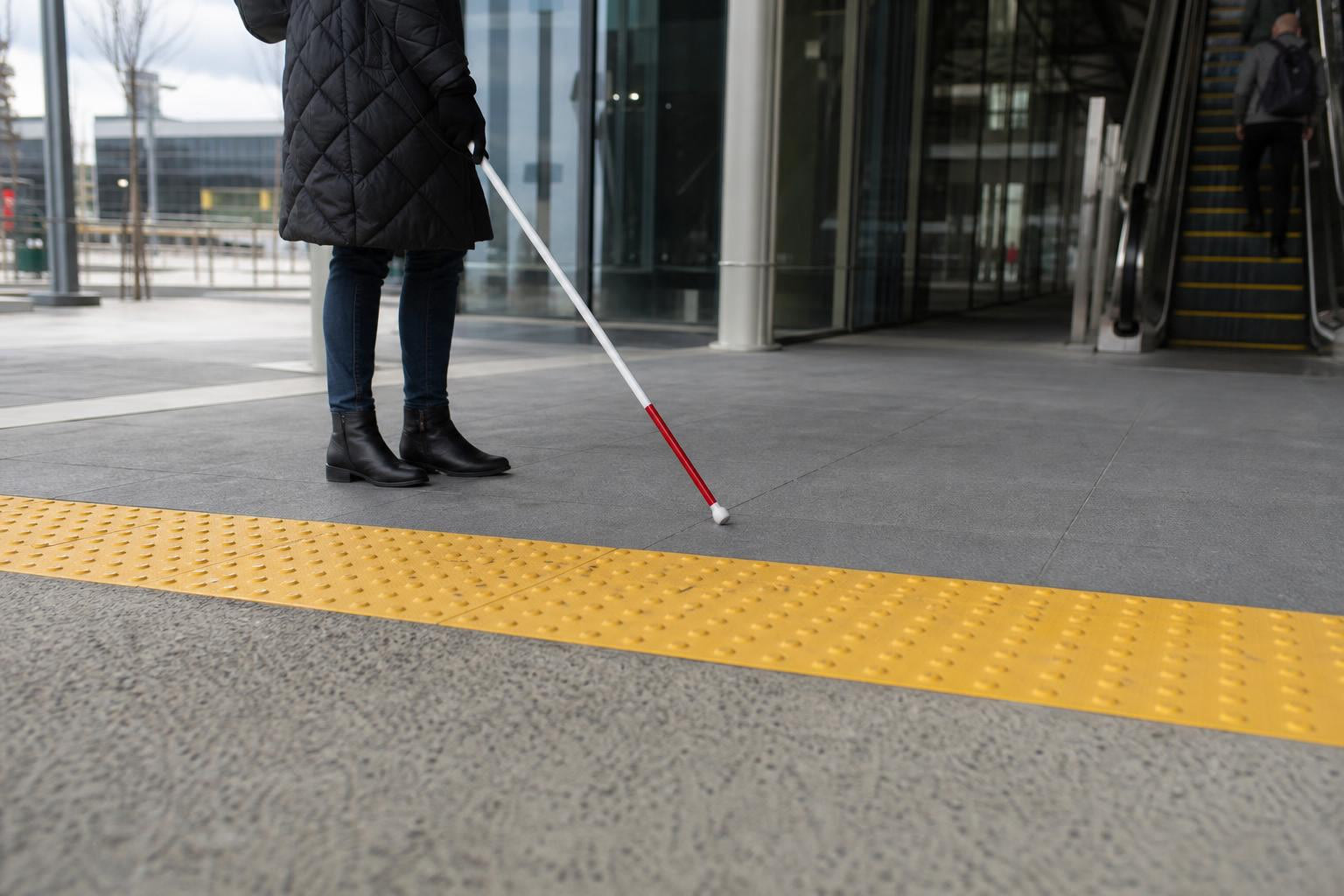
Tactile walking surface indicators are textured ground surface panels that provide navigational cues for people who are blind or have low vision. They’ve been in use globally since Japan introduced them in 1967. The ISO standard followed in 1999, and Canada’s CSA standard was first published in 2004.
TWSIs fall into two categories:
Tactile Attention Indicators (TAIs), also called warning indicators, use truncated domes to signal hazards: changes in elevation, vehicular routes, train platform edges, or other dangerous transitions.
Tactile Direction Indicators (TDIs), also called guidance indicators, use flat-topped elongated bars to help people navigate open areas like transit concourses or large lobbies. To clearly differentiate warning information from guidance information, the two types use different colours and patterns.
If your project involves curb ramps, transit platforms, stairways, or building entrances, you almost certainly need attention indicators. Directional bar tiles are specified less frequently but are critical in large open spaces where standard wayfinding cues are absent.
Key Standards That Govern TWSI Procurement in Canada
Any procurement checklist for purchasing tactile walking surface indicators starts with knowing which regulations apply to your specific project. Here are the standards you need to understand.
CSA/ASC B651:23
This is the primary Canadian standard for accessible design. Now in its sixth edition (superseding versions from 2018, 2012, and 2004), CSA B651:23 contains requirements for making buildings and facilities accessible to people with physical, sensory, and cognitive disabilities. It governs TWSI design, placement, and maintenance specifications. The National Building Code of Canada references this standard for TWSI specifications.
ISO 23599
The international standard for the use and installation of TWSIs. CSA B651 is aligned with ISO 23599, which means products meeting one standard generally satisfy the other. The 70% luminance contrast requirement originates here.
Ontario Building Code (OBC), Section 3.8.3.18
For Ontario projects, this section outlines specific requirements for tactile attention indicators. It states that where a TAI is required, it must conform to ISO 23599 specifications. The OBC mandates that the depth of the tactile attention indicator field be between 300 mm and 610 mm.
AODA (Accessibility for Ontarians with Disabilities Act)
Passed in 2005, AODA aims to make Ontario fully accessible by 2025. Its Design of Public Spaces standard directly relates to tactile warning systems and legally mandates installing compliant systems in indoor and outdoor public spaces.
Accessible Canada Act (ACA)
Federal legislation targeting a barrier-free Canada by January 1, 2040. It covers identifying, removing, and preventing barriers in federal jurisdiction, including the built environment and the procurement of goods, services, and facilities. If you’re buying TWSIs for a federal building, transit system, or military installation, this act applies directly.
Your first checklist task: identify every code that governs your project location and jurisdiction before you write a product specification or request a quote.
Types of TWSIs: Attention vs. Direction
Understanding the two TWSI types is essential for correct specification. Ordering the wrong type is a compliance failure, not just an inconvenience.
Truncated Dome Indicators (Attention/Warning)
These are the most commonly purchased TWSIs. The raised dome pattern signals “stop, assess, and proceed with caution.” Dimensional specifications from CSA B651:23 and ISO 23599 are precise:
- Dome height: 4 to 5 mm (on exceptionally smooth interior surfaces like polished concrete or terrazzo, the 4 mm minimum is preferred)
- Top diameter: 12 to 25 mm
- Base diameter: 10 mm (±1 mm) larger than the top diameter
These dimensions aren’t suggestions. Products outside these ranges fail compliance. When your procurement checklist for purchasing tactile walking surface indicators includes dimensional verification, you catch non-compliant products before they’re installed.
Browse tactile indicator panels to see specific sizing options available for Canadian projects.
Elongated Bar Indicators (Direction/Guidance)
Flat-topped bars guide users along a path of travel. Specifications:
- Bar height: 4 to 5 mm
- Top width: 17 to 30 mm
- Top length: at least 270 mm
The preferred colour for attention TWSIs is safety yellow (Munsell Colour System: hue 5.0, chroma yellow 8.0/12). Safety yellow should not be used for guidance TWSIs, precisely because the colour distinction helps users differentiate between “warning” and “follow this path.”
Installation Methods: Surface-Applied vs. Cast-in-Place
The installation method is one of the most consequential decisions in your procurement checklist for purchasing tactile walking surface indicators. It affects product selection, budget, durability, and long-term maintenance.
Surface-Applied (Retrofit)
Surface-applied tactile panels are bonded onto existing hard surfaces (concrete, asphalt, pavers) using adhesives and mechanical fasteners. This method works well for upgrading existing paths or buildings without demolition, and it’s particularly suited to indoor or low-traffic areas.
There are important constraints. When TWSIs are installed as surface-mounted panels, they must have bevelled edges, and the base surface of the panel must sit no more than 3 mm above the existing surface. CSA B651 notes that surface-mounted installations are not the ideal approach and should only be considered when cast-in-place or recessed installations cannot be achieved.
Cast-in-Place (CIP)
Cast-in-place installation embeds the TWSI panel directly into wet concrete during the pour. While more labor-intensive, this method ensures code compliance and accessibility for decades when done correctly. It is the preferred method for outdoor paths, transit platforms, and other locations with heavy foot traffic.
For cast-in-place options, heritage brick panels offer an aesthetic match for heritage districts and municipal streetscapes.
The Canadian Winter Factor
Here is a procurement consideration that most generic guides miss entirely: snow removal.
For exterior projects in Canada, you must consider whether the area will be cleared by mechanical snow plows or by hand. Steel plow blades can shear off surface-applied tactile panels. If your site uses mechanical snow removal equipment, this single factor may dictate your entire material and installation method decision. Cast-in-place or recessed installations handle plow contact far better than surface-applied panels. If you’re buying surface-applied panels for an exterior municipal sidewalk that gets plowed, expect premature failure and replacement costs.
Other environmental questions to resolve during site assessment: Is the area open or covered? Is this new concrete (allowing cast-in-place) or an existing surface (requiring retrofit)? Does replaceability matter, or can panels be permanently embedded?
For a deeper look at Canadian testing and compliance requirements, see our guide on TWSI testing standards in Canada.
TWSI Materials Compared
Material selection directly affects durability, cost, compliance, and maintenance. Here is what you need to know about each option when building a procurement checklist for purchasing tactile walking surface indicators.
FRP (Fiberglass Reinforced Polymer)
Best for: Exterior high-traffic areas, curb ramps, transit platforms.
FRP panels are lightweight, corrosion-resistant, and available in safety yellow with excellent UV stability. They require structural adhesive plus mechanical fasteners for surface-applied installations. FRP is the workhorse material for most Canadian exterior TWSI projects.
Cast Iron
Best for: Municipal sidewalks where extreme durability is required.
The City of Toronto uses cast iron tactile indicators across its sidewalk network. Cast iron initially develops a rusty red colour that may stain surrounding concrete during the first year. The stain eventually disappears, and the iron develops a natural patina that actually increases tonal contrast with the sidewalk over time.
Cast iron tactile plates are available in standard municipal sizes (12"×24", 24"×24", 24"×30").
Stainless Steel (316L)
Best for: High-traffic exterior installations and premium interior applications.
Stainless steel is durable, rust-resistant, and performs well in harsh weather. The higher unit cost is offset by a very long service life. Stainless steel TWSIs are typically warranted for a minimum of five years, though they routinely last far longer.
Polyurethane (PU)
Best for: Retrofit interiors, temporary installations, and budget-conscious projects.
PU tactile indicators are lightweight, flexible, easy to install, and weather-resistant. They work well over existing flooring for both indoor and outdoor applications. However, they are less durable under heavy exterior foot traffic compared to FRP or metal options.
Ceramic
Best for: Interior decorative applications only.
Ceramic TWSIs have poor slip ratings and damage easily. They should not be specified for exterior use or any location with significant foot traffic.
The bottom line on materials: Match the material to the site conditions, not the budget line. The cheapest product per unit rarely delivers the lowest total cost.
Visual Contrast and Colour Requirements
Luminance contrast is a compliance requirement, not an aesthetic preference. ISO 23599 specifies a minimum 70% luminance contrast between the TWSI surface and the adjacent ground surface. CSA B651 uses the same “luminance contrast” terminology to maintain compatibility with the international standard.
What this means in practice:
- On light-coloured concrete or pavers, safety yellow TWSIs typically achieve the required contrast.
- On dark substrates (asphalt, dark stone), you may need to verify contrast values rather than assuming yellow will work.
- Safety yellow is the preferred colour for attention indicators specifically. It should not be used for guidance/directional TWSIs to preserve the critical distinction between warning and wayfinding.
When your procurement checklist for purchasing tactile walking surface indicators includes a luminance contrast verification step, you avoid a common and expensive mistake: installing panels that look fine to sighted observers but fail to meet the 70% threshold that people with low vision depend on.
Common Quality and Procurement Mistakes
Practitioners consistently report that TWSI failures show up on project defect lists at an alarming rate. The problems are predictable and preventable.
Buying Cheap, Buying Twice
Although cheaper tactile indicators are tempting, the tradeoffs in performance and quality are well documented. The repeated installation of the same failing panels adds up quickly when you combine labor, materials, adhesive, and replacement product costs. Upgrading later means redoing the entire installation at increased cost. As one industry source puts it, these combined effects can leave project owners liable and damage the reputation of everyone who specified, procured, and installed them.
Coordination Failures
Most TWSI project failures originate from coordination breakdowns rather than unsuitable products. Responsibility sits upstream, in how information flows between consultants, contractors, and trades. Practitioners on construction forums note that typical issues include inconsistent alignment, damaged studs, poor adhesion, insufficient contrast, and incomplete coverage. Early planning dramatically reduces these problems.
Installation Shortcuts
One installer reported a site visit where a facility was missing dozens of tactile indicators from a previous contractor. On closer inspection, some studs had been “banged in” without adhesive, giving them no bond to the substrate and making them vulnerable to shearing off. In other areas, studs were simply glued onto the surface without proper drilling. These inconsistencies create a direct danger to vision-impaired users.
Ignoring Snow Removal Impact
For Canadian exterior projects, failing to account for mechanical snow removal is a procurement mistake with costly consequences. Surface-applied panels in plow zones will eventually get damaged or torn off entirely. This needs to be addressed at the specification stage, not discovered after the first winter.
Missing Warranty Documentation
If you don’t have a written warranty, you don’t have a warranty. Buyers should request a minimum five-year product warranty in writing. Cast iron and stainless steel products typically outlast their warranties significantly, but the documentation protects you if materials fail prematurely. Review shipping and return policies before placing orders to understand logistics and terms.
The Procurement Checklist
This is the core reference. Use it as a phase-by-phase guide every time you purchase TWSIs. Print it, share it with your team, and check every item before you commit a purchase order.
Phase A: Code and Compliance Check
- [ ] Identify all applicable codes: federal (NBC, Accessible Canada Act), provincial (OBC/AODA or equivalent), and municipal bylaws
- [ ] Confirm the product meets CSA/ASC B651:23 and/or ISO 23599
- [ ] Verify truncated dome dimensions: height 4 to 5 mm, top diameter 12 to 25 mm, base diameter 10 mm (±1 mm) larger than top
- [ ] Verify directional bar dimensions if applicable: height 4 to 5 mm, top width 17 to 30 mm, top length at least 270 mm
- [ ] Confirm luminance contrast of at least 70% between the TWSI and adjacent surface
- [ ] Check required depth of attention indicator field (300 to 610 mm per OBC Section 3.8.3.18)
- [ ] Verify colour selection: safety yellow for attention TWSIs, a different colour for directional TWSIs
For additional context on Canadian compliance requirements, see our tactile indicators compliance guide.
Phase B: Site Assessment
- [ ] Determine if this is new construction (cast-in-place viable) or retrofit (surface-applied likely)
- [ ] Confirm interior or exterior location
- [ ] Identify substrate type: concrete, asphalt, pavers, tile, or other
- [ ] Determine snow removal method: mechanical plow, hand shoveling, or covered/heated area
- [ ] Assess foot traffic volume: low, moderate, or high
- [ ] Identify chemical, salt, or UV exposure
- [ ] Measure areas requiring TWSIs: curb ramps, platform edges, stair approaches, building entrances
- [ ] Note any curved or radius ramp sections requiring radius tactile panels
Phase C: Product Selection
- [ ] Select material type aligned to site conditions (FRP, cast iron, stainless steel, polyurethane)
- [ ] Confirm colour provides compliant contrast against the actual substrate
- [ ] Determine panel sizes needed based on measured areas
- [ ] Verify that surface-applied panels have bevelled edges and will sit no more than 3 mm above the existing surface
- [ ] Confirm whether installation hardware (fasteners, adhesive, clamp assemblies) is included or purchased separately
- [ ] Check whether complementary products are needed (for example, anti-slip stair nosings at stair approaches where TWSIs are required)
Phase D: Supplier Evaluation
- [ ] Request written product warranty, minimum five years
- [ ] Ask for standards compliance certification documentation (CSA B651, ISO 23599)
- [ ] Confirm installation instructions and technical support availability
- [ ] Verify shipping timeline and logistics to your project site
- [ ] Review return policy and restocking terms
- [ ] Check the supplier’s track record with similar projects (ask for references or review past project examples)
- [ ] Evaluate whether the supplier provides pre-purchase technical guidance on substrate compatibility and system selection
Experienced suppliers offer technical guidance during design development, helping align TWSI systems with substrates, finishes, and compliance requirements. Framing supplier involvement as risk management rather than just procurement leads to better outcomes.
Phase E: Installation Planning
- [ ] Coordinate TWSI installation timing within the overall construction sequence
- [ ] Confirm temperature and weather requirements for adhesive curing (if surface-applied)
- [ ] Establish alignment and spacing verification method before installation begins
- [ ] Create a protection plan for installed TWSIs during remaining construction phases
- [ ] Assign clear responsibility for installation quality to a specific trade or supervisor
- [ ] Plan for post-installation inspection of dome/bar integrity, adhesion, and contrast
This procurement checklist for purchasing tactile walking surface indicators is designed to be used repeatedly. Save it, adapt it for your organization, and update it as standards evolve.
What This Checklist Does Not Cover
TWSIs are one component of an accessible built environment, but they don’t solve everything on their own. A few important limits:
- Anti-slip and tactile products reduce risk but do not eliminate all hazard. Surfaces still need regular cleaning and maintenance.
- Ice, snow, oil, and debris still require active management regardless of what products are installed.
- Code and accessibility claims should always be verified against the specific codes governing your project location and jurisdiction. Standards change, and provincial requirements differ.
- This checklist addresses product procurement. It does not replace professional engineering, architectural, or legal advice for complex projects.
Next Steps
If you’re working through a procurement checklist for purchasing tactile walking surface indicators and need help selecting the right product for your site conditions, contact Safety Step Canada for guidance on material selection, sizing, and compliance.
Frequently Asked Questions
What is the difference between tactile attention indicators and tactile direction indicators?
Attention indicators (also called warning indicators) use truncated domes to signal hazards like curb edges, platform drops, or vehicular crossings. Direction indicators use elongated bars to guide pedestrians along a path of travel in open spaces. The two types use different colours so users can distinguish warnings from wayfinding cues.
Which Canadian standard governs TWSI specifications?
CSA/ASC B651:23 is the primary Canadian standard. It aligns with the international standard ISO 23599. Provincial codes like the Ontario Building Code (Section 3.8.3.18) reference these standards and may add specific requirements like field depth dimensions.
Should I choose surface-applied or cast-in-place TWSIs?
If you’re pouring new concrete, cast-in-place is the preferred method for durability and code compliance. Surface-applied panels are appropriate for retrofitting existing surfaces, but they must have bevelled edges and sit no more than 3 mm above the existing surface. For exterior Canadian sites with mechanical snow plowing, cast-in-place or recessed installations are strongly recommended.
What luminance contrast is required for TWSIs in Canada?
ISO 23599 and CSA B651 require a minimum 70% luminance contrast between the TWSI surface and the adjacent ground surface. Safety yellow is the preferred colour for attention indicators on light substrates. Always verify contrast values rather than assuming a colour will meet the threshold.
How do I prevent snow plows from damaging tactile panels?
Surface-applied panels in plow zones are vulnerable to steel blade contact. The best prevention is specifying cast-in-place or recessed installation methods for any exterior surface subject to mechanical snow removal. If surface-applied panels are the only option, discuss plow-compatible profiles and heavier-duty materials with your supplier.
What warranty should I expect for TWSI products?
Request a minimum five-year written warranty. Stainless steel TWSI products commonly carry five-year warranties, and cast iron or stainless steel installations typically last well beyond that period. Always get warranty terms in writing before placing your purchase order.
What materials are available for TWSIs?
The main options are FRP (fiberglass reinforced polymer), cast iron, stainless steel, polyurethane, and ceramic. FRP is the most common for exterior high-traffic use. Cast iron suits heavy municipal applications. Stainless steel is premium and very durable. Polyurethane works for interior retrofits and budget projects. Ceramic is limited to interior decorative use only.
Why do cheap tactile indicators end up costing more?
Low-quality panels fail faster through cracking, fading, poor adhesion, or dome shearing. Each replacement cycle includes not just the product cost but also labor, adhesive, surface preparation, and potential liability during the gap when non-compliant or missing indicators leave hazards unaddressed. Specifying quality products from the start is almost always cheaper over the life of a project.